
Download nLite – Windows customization, system optimization, installation image, Windows installer, custom setup, remove programs, .NET Framework, advanced user tool
Overview
Developed by nLite, this application serves as a specialized utility for advanced users seeking precise control over their Windows installation process. Designed primarily for system administrators, IT professionals, and tech-savvy enthusiasts, nLite enables users to customize Windows installations by selectively including or excluding specific components. This level of granular control helps reduce system bloat, streamline performance, and tailor the operating system to specific hardware or workflow requirements. The tool is particularly valuable in environments where consistent, repeatable installations are necessary across multiple machines.
By allowing users to remove unnecessary programs such as Media Player or default Explorer features, nLite contributes to a leaner, faster system. The ability to create customized installation images further enhances its utility, enabling users to deploy standardized setups efficiently. Although the developer did not provide additional technical details about the target audience or real-world deployment scenarios, the app’s core purpose is clear: to empower users with deeper customization options beyond standard Windows installation tools. Its role in the system utilities ecosystem is significant, offering a solution for those who require more than what out-of-the-box installers provide.
Key Features & Functionality
- Custom Installation Choices: Users can choose which Windows components to include or exclude during installation. This allows for a highly tailored system setup based on specific needs, such as removing legacy software or retaining only essential tools.
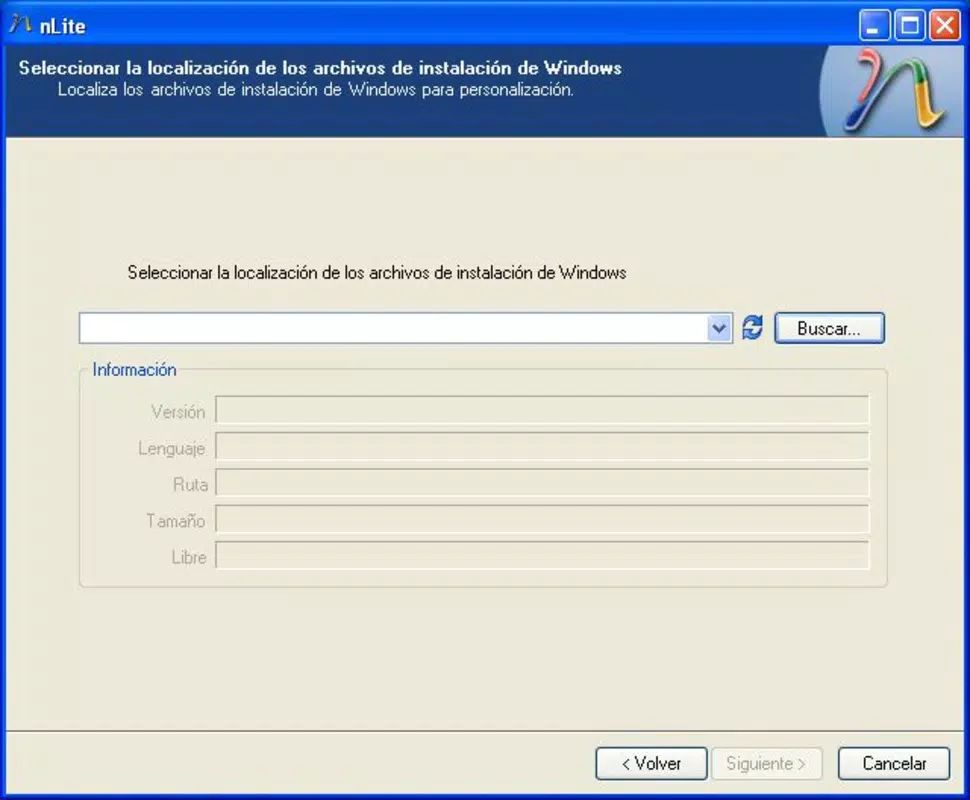
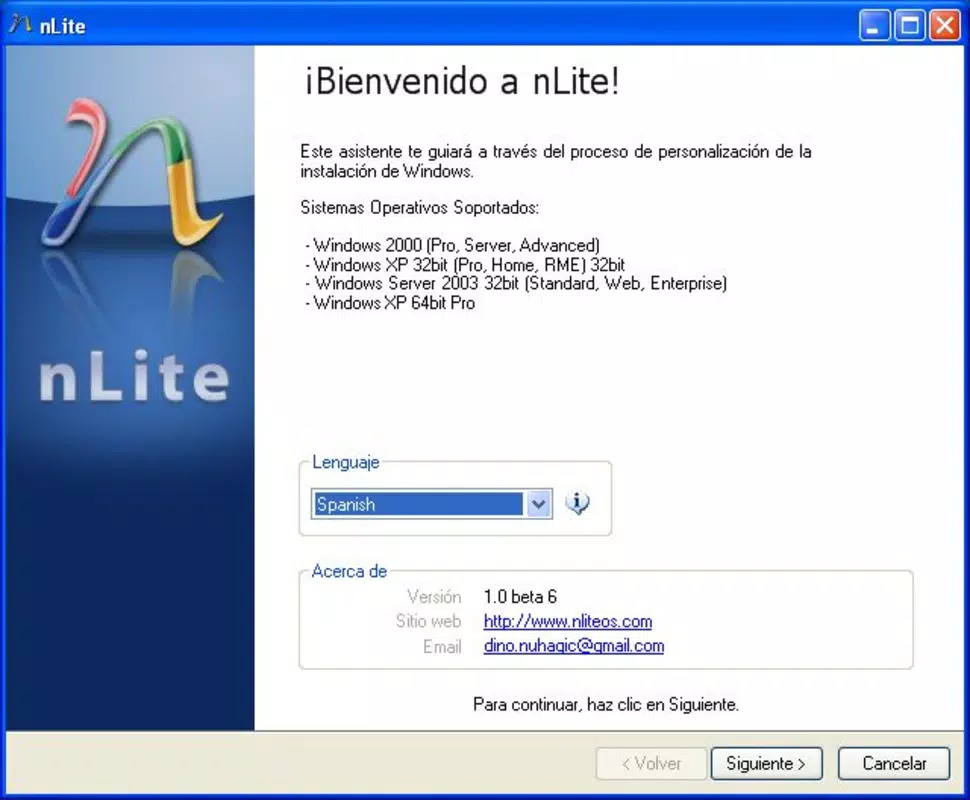
- User-Friendly Wizard: The application includes a guided wizard that simplifies the customization process. This step-by-step interface helps users navigate complex options without requiring deep technical knowledge, though the tool remains targeted at advanced users.
- Support for Multiple Windows Versions: nLite is compatible with several older Windows editions, including Windows 2000, XP, and Server 2003. This broad compatibility ensures that users working with legacy systems can still benefit from its customization capabilities.
- Create Installation Images: After customization, users can generate a new installation image. This feature is ideal for IT teams needing to deploy consistent, optimized Windows environments across multiple devices, reducing setup time and ensuring uniformity.
- Requires .NET Framework: The application depends on Microsoft .NET Framework for proper operation. This dependency is essential for the tool’s functionality and must be installed prior to using nLite.
For example, an IT technician setting up 20 identical workstations can use nLite to remove unnecessary software, include only required drivers and utilities, and create a single installation image for deployment. Similarly, a developer working on a minimal Windows environment might use nLite to eliminate bloatware and improve system responsiveness.
Interface, UX & Performance
The interface of nLite is designed with functionality over aesthetics, reflecting its focus on advanced users. The layout is structured around a central wizard, guiding users through configuration steps with clear navigation options. While the visual design is minimalistic and may appear dated by modern standards, it prioritizes clarity and direct access to core functions. The navigation flow is linear and logical, reducing the risk of user error during complex customization tasks.
Although the developer did not list formal performance metrics, the application’s file size of 4.4 MB suggests it is lightweight and optimized for efficient operation. The tool runs without significant resource consumption, making it suitable for use on older or low-spec machines. Responsiveness appears to be consistent based on its design, with minimal lag during configuration steps. Stability is likely maintained due to its long-standing presence in the system utilities space, though specific reports on crashes or errors were not provided.
Platform Compatibility & Technical Requirements
nLite is designed for the Windows platform and is compatible with Windows 2000, XP, and Server 2003. The software version is 1.4.9.2016, and the file size is 4.4 MB. The application is available at no cost, making it accessible to users seeking free system optimization tools.
The developer did not specify minimum OS requirements or exact compatibility details beyond the listed versions. It is also unclear whether the tool supports newer Windows editions such as Windows 10 or 11. Users should verify compatibility with their target system before installation. The requirement for Microsoft .NET Framework is explicitly stated, and this must be installed prior to using the application.
Pros and Cons
Pros
- Enables deep customization of Windows installation files
- Supports creation of reusable installation images
- Provides a guided wizard for easier navigation
- Free to download and use
- Lightweight at 4.4 MB
Cons
- Compatibility limited to older Windows versions
- Requires .NET Framework to run
- Interface may appear outdated to new users
- Not available for mobile platforms
- Developer did not provide update frequency or future roadmap
FAQ
Is nLite safe to download and use?
nLite is a legitimate tool developed for advanced Windows customization. It is free to download and does not contain malware. However, users should ensure they are downloading from trusted sources to avoid tampered versions.
Can I use nLite on Windows 10 or Windows 11?
The developer did not confirm support for Windows 10 or 11. The tool is officially compatible with Windows 2000, XP, and Server 2003. Using it on newer systems may result in compatibility issues.
Do I need to install .NET Framework to run nLite?
Yes. Microsoft .NET Framework is required for nLite to function properly. It must be installed on the host system before launching the application.
What kind of users benefit most from nLite?
IT professionals, system administrators, and advanced users who need to create optimized, standardized Windows installations across multiple machines benefit most from nLite’s features.
Can I update nLite after installation?
The developer did not provide information on update frequency or automatic update mechanisms. Users should check the official source for any new releases.
Final Thoughts
nLite remains a powerful tool for users who require fine-grained control over their Windows installations. Its ability to customize components, generate installation images, and streamline deployment makes it a valuable asset in technical environments. While its compatibility is limited to older Windows versions and the interface reflects its age, its core functionality is robust and effective. For those working with legacy systems or managing multiple installations, nLite offers a reliable, free solution to enhance system performance and consistency. Its lightweight design and no-cost access further strengthen its appeal.
Download nLite now


